Draw Rider: Creative Racing Puzzle

Reviews
💡Draw Rider stands out by letting players design their own wheels, turning each level into a creative physics puzzle. The colorful graphics and simple controls make it accessible for all ages. Experimenting with different shapes to overcome obstacles is both fun and educational. It is a great choice for anyone who enjoys art and problem-solving.
Description
Game Introduction
Draw Rider is a creative racing puzzle game that blends art, physics, and problem-solving. Before each race, you design the wheels for your rider using drawing tools. The shape, size, and placement of your wheels directly affect how the rider moves through colorful levels. Round wheels roll fast, while odd shapes can help climb hills or jump gaps. This unique combination of drawing and racing encourages creative thinking and adaptability. Each level presents a new challenge, making the game suitable for players of all ages who enjoy a mix of art and racing.
How to Play
Playing Draw Rider is simple and intuitive. Use your mouse or finger to draw two wheels for your character's bike. Think carefully about the shape and size, as they affect movement. Round wheels roll fast, while odd shapes help climb or jump. Once you finish drawing, watch your rider race through the course. Control their speed and balance to navigate obstacles. If you fail, erase and draw a new set of wheels. Each level is a puzzle that requires creative thinking. The controls are easy to learn, but mastering wheel design takes practice and imagination.
Game Features
Creative drawing mechanics that let you design wheels for your rider. Diverse level challenges that require adaptive thinking. Fun physics-based gameplay that responds to your designs. Colorful and friendly graphics that create a positive atmosphere. Simple controls that are easy to learn but hard to master.
Tips for Success
Experiment with different wheel shapes to see how they affect movement. Round wheels are good for speed, while asymmetrical shapes can help with climbing or jumping. If you get stuck, try drawing wheels that are larger or smaller to change balance. Practice on earlier levels to understand the physics before tackling harder puzzles. Don't be afraid to erase and try again—creativity is key. Watch how your rider moves and adjust your designs accordingly.
Compatibility
Faq
What devices can I play Draw Rider on?
Is Draw Rider free to play?
Can I save my wheel designs in Draw Rider?
Does Draw Rider have a multiplayer mode?
What age group is Draw Rider suitable for?
Are there in-app purchases in Draw Rider?
Recommended Games

SpongeBob Slide Puzzle
A delightful and relaxing puzzle game for SpongeBob fans of all ages.

Hidden Bunker Escape Puzzle 2
A calm, family-friendly puzzle adventure with clever star hiding spots and a relaxing atmosphere.
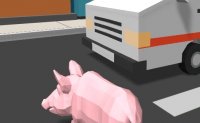
Super Pig City Adventure
A fun, relaxing action game with a charming pig and a blocky city to explore.

Regnet Rhythm Music Game
A delightful rhythm game that combines music and art in a family-friendly way. Perfect for music lovers.

Face Chart Makeup Design Studio
A creative and relaxing digital art game for makeup enthusiasts of all ages.

Fireworks Design Studio - Creative Arcade Game
A safe, creative fireworks design game with endless customization. Perfect for family fun and artistic expression.

Home Design Dreams Match 3 Puzzle
A delightful blend of match-3 puzzles and home decoration that is both relaxing and creatively satisfying.

Pig Coloring Art Game
A peaceful and creative coloring game with cute pig designs, perfect for young children to enjoy.

Forest Glade Puzzle Adventure
A delightful match-3 puzzle game with charming animal friends and a relaxing forest setting.